Skip to content
DayZ
DayZ 100% localFreeOpen access

DayZ launch parameters

Build the DayZ server launch line: -config, -port, -profiles, -mod, -serverMod, -BEpath, logs, and a ready-to-use .bat or .sh script.

Last updated: 10/9/2026

100% local processing — saved in your browser.

Documentation
Output

DayZServer_x64.exe on Windows.

Basics

Leave empty to use the default BattlEye folder.

Mods

One mod per line (or separated by ;). The @ is added if missing.

Server-side-only mods (players do not need them).

Logs
Performance

0 = do not add the parameter.

0 = do not add the parameter.

start-dayz-server.txt
Live preview — automatically saved in your browser.
@echo off
cd /d "%~dp0"
start "DayZ Server" /wait "DayZServer_x64.exe" ^
  -config=serverDZ.cfg ^
  -port=2302 ^
  -profiles=profiles ^
  -dologs ^
  -adminlog ^
  -freezecheck
Server installation guideNo server yet? Install it locally or on a VPS / dedicated server, ports and firewall included.

How to use DayZ launch parameters?

A DayZ server is configured in two places: serverDZ.cfg for the rules and the command line for files, mods and logging. This tool builds that line and a ready-to-use start script.

  1. Choose the output format (.bat, shell script or single line) and the executable name.

  2. Fill in -config, -port, -profiles and, if needed, -BEpath.

  3. List your mods, one per line (@Mod folder): -mod= ones are required on the player side, -serverMod= ones stay server-side.

  4. Enable the logs you want, then copy or download the script.

  5. Put the script in the server folder, copy the mods' .bikey files into keys/, then run it.

Read the full documentation →

Frequently asked questions

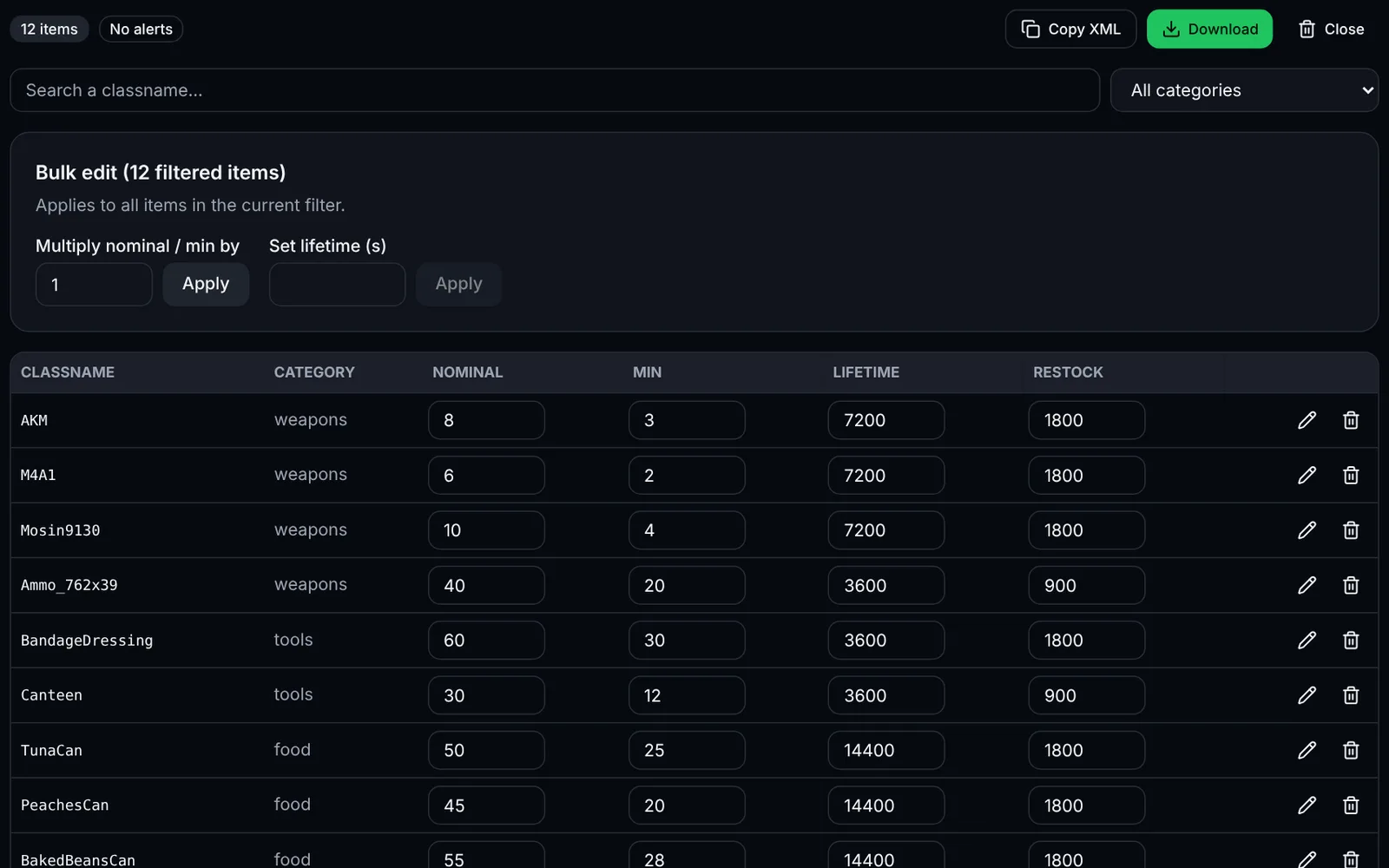
Screenshot of the types.xml editor toolDayZSign-in required
Edit nominal, min, lifetime and usages of your DayZ items with search, bulk editing and validation.
LootXMLEconomyOpen
Documentation
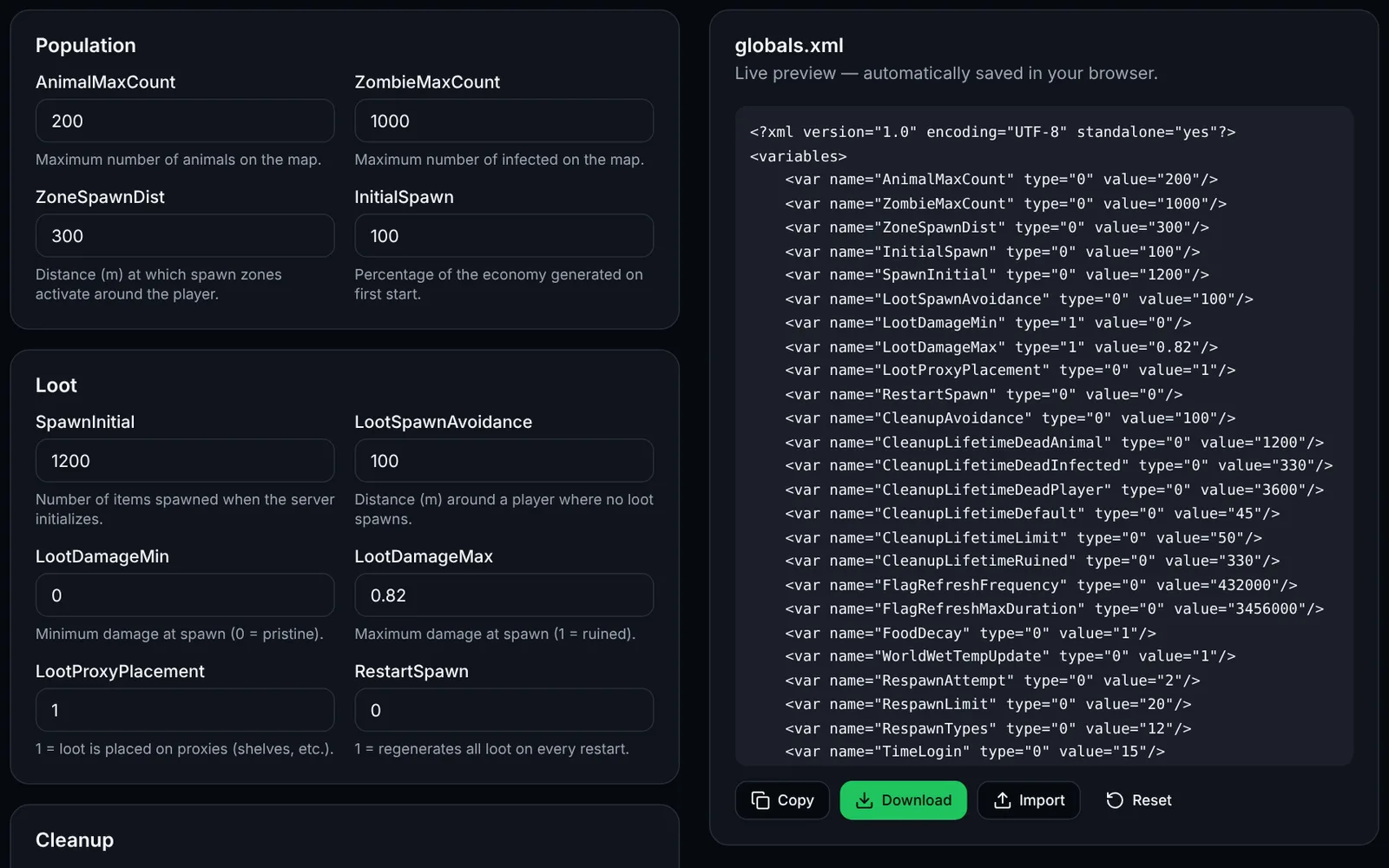
Screenshot of the globals.xml editor (economy) toolDayZSign-in required
Tune your DayZ server economy: zombies, loot, cleanup and bases.
EconomyXMLOpen
Documentation
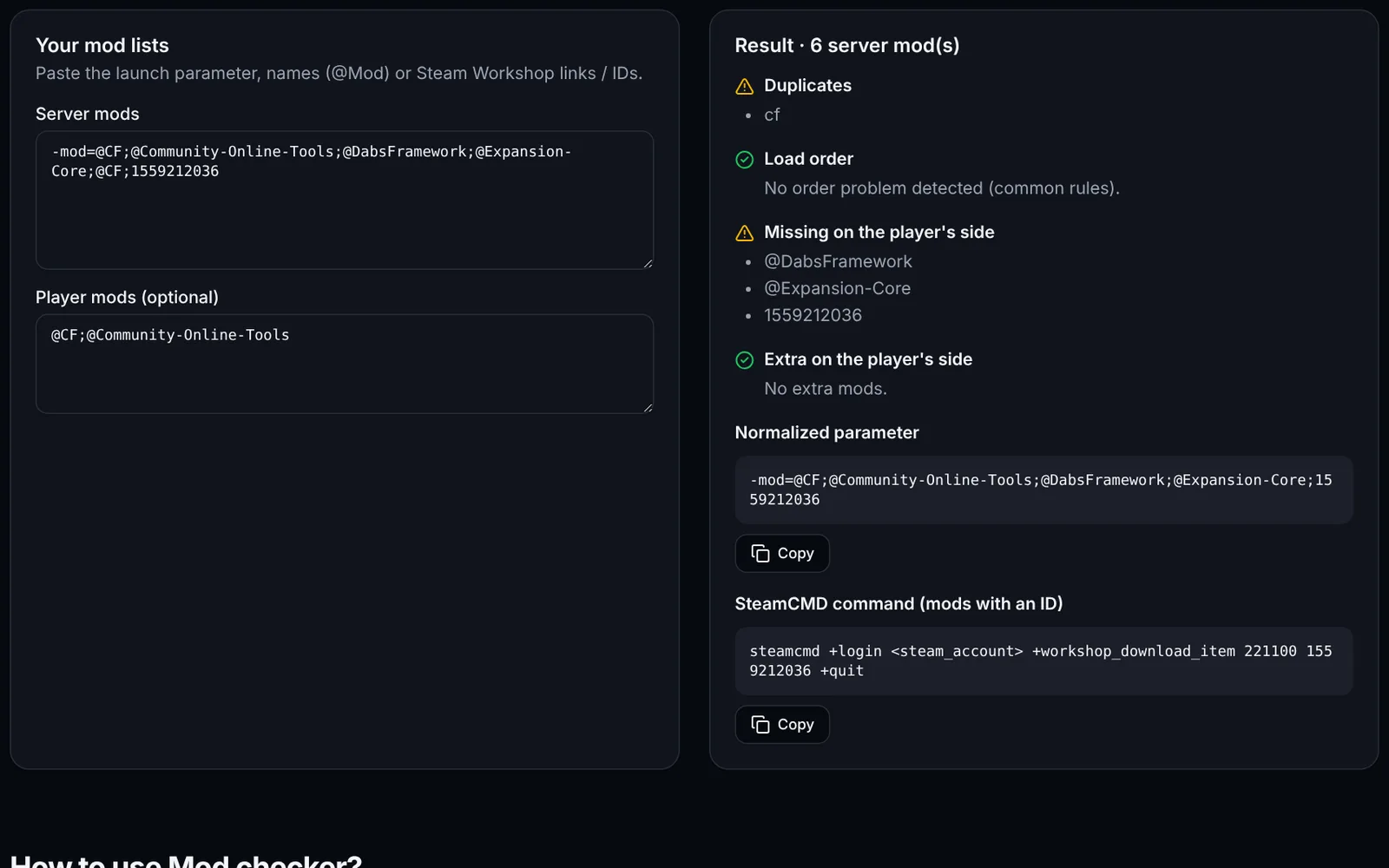
Screenshot of the Mod checker toolDayZSign-in required
Detect duplicates, missing mods and wrong load order on your DayZ server.
ModsDiagnosticsOpen
Documentation
DayZ
DayZSign-in required
Edit cfgeconomycore.xml: root classes, central economy logs and custom CE folders, with validity checks.
EconomyXMLOpen
Documentation
DayZ
DayZSign-in required
Edit events.xml: heli crashes, convoys, infected zones, animals. Counters, radii, children and consistency checks.
EventsXMLOpen
Documentation
DayZ
DayZSign-in required
Generate cfgspawnabletypes.xml (attachments, cargo, condition) and the init.c code for players' starting gear, with chance checks.
LootLoadoutXMLOpen
Documentation
DayZ
DayZOpen access
Generate serverDZ.cfg: name, passwords, slots, BattlEye, day/night, login queue and map, with live preview and import.
ConfigurationServerOpen
Documentation
DayZ
DayZSign-in required
Cross-check types.xml, mapgroupproto.xml and cfglimitsdefinition.xml: unknown usages, tiers, categories and tags, and loot that cannot spawn.
ValidationEconomyXMLOpen
Documentation
DayZ
DayZSign-in required
Edit DayZ Expansion Market categories: items, min/max prices, stock, JSON import and export with consistency checks.
MarketTradersJSONOpen
Documentation
DayZ
DayZSign-in required
Visualise the density of your map's loot points from mapgrouppos.xml: filter by building or usage, PNG export.
LootMapVisualisationOpen
Documentation