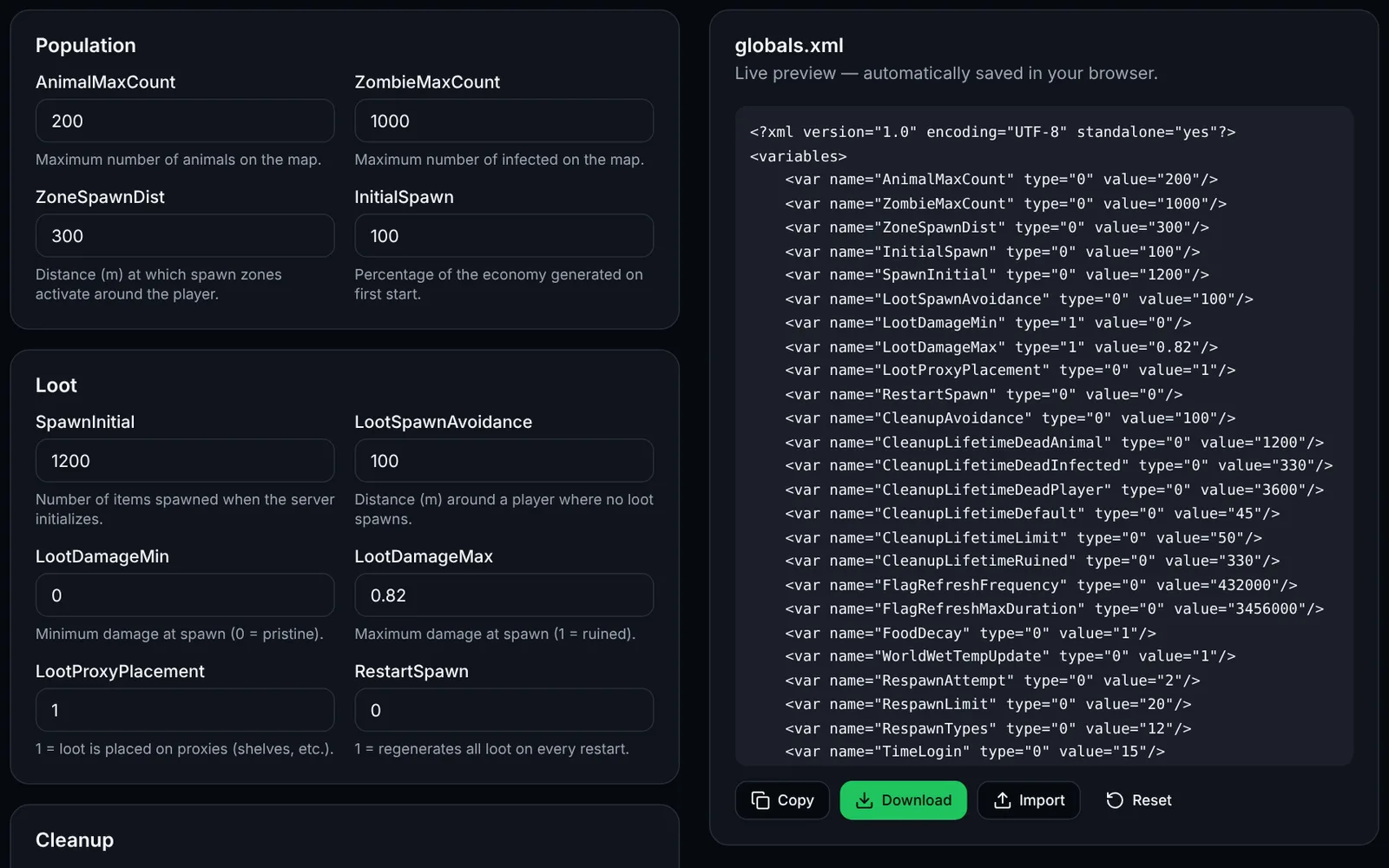
globals.xml (in mpmissions/<map>/db) controls the global variables of DayZ's central economy: infected and animal population, initial loot amount, cleanup timers and connection rules.
How to use the tool
Click “Import” to load your current globals.xml (optional) or start from vanilla values.
Adjust the variables by group (Population, Loot, Cleanup, Bases, Player, Connection, Server).
Check the XML preview on the right: it updates live.
Click “Download” or “Copy”, then replace the file in mpmissions/<your_map>/db/.
Restart the server: the economy reads globals.xml at startup.
Key variables
- ZombieMaxCount: the higher the value, the higher the server CPU load.
- CleanupLifetimeDefault: lifetime of a ground item that has no lifetime of its own.
- LootDamageMin/Max: condition range of items at spawn (0 = pristine, 1 = ruined).
- FlagRefreshFrequency: interval at which the flag must be refreshed to keep a base (432000 s = 5 days).
File location
mpmissions/dayzOffline.chernarusplus/db/globals.xmlFrequently asked questions
- Is my data sent to a server?
- No. Everything is computed in your browser and saved only in your localStorage.
- Are unknown variables in my file kept?
- The tool handles the known vanilla variables. Custom variables must be added manually after export.