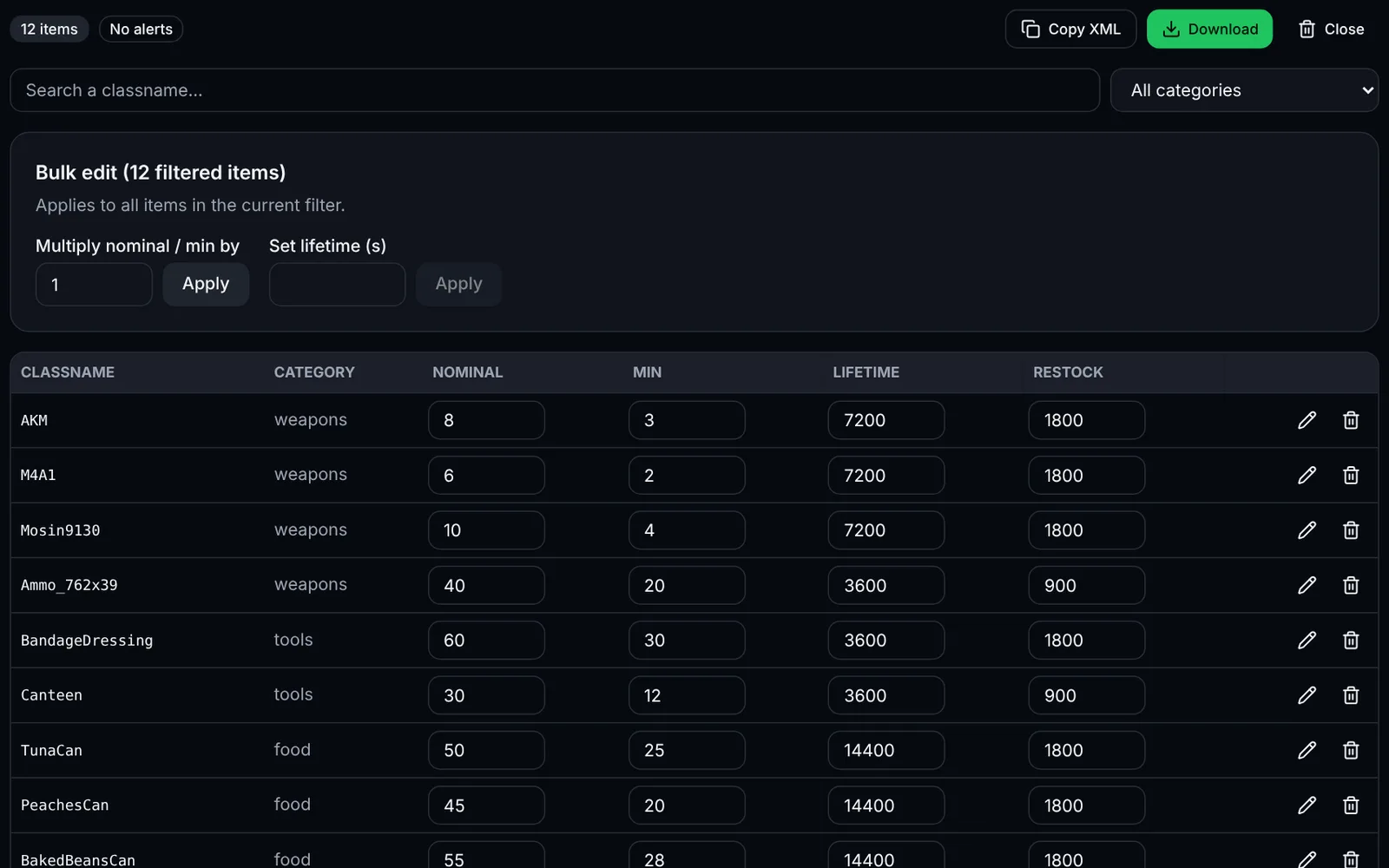
types.xml (mpmissions/<map>/db/types.xml) describes, for every DayZ item, the quantity to generate (nominal), the minimum before respawn (min), its lifetime on the ground (lifetime) and its spawn zones (usage / value).
How to use the tool
Import your types.xml (“Choose types.xml” button) or paste its content, then click “Parse”.
Search an item by classname or filter by category.
Edit nominal, min, lifetime or restock directly in the table; the pencil opens the full sheet (flags, usages, tiers, tags).
Use bulk editing to multiply nominal/min of all filtered items (e.g. ×1.5 on weapons) or set a common lifetime.
Watch the validation alerts (duplicates, min > nominal), then click “Download”.
Replace the file on your server and restart: delete storage_1/data if you want a full loot regeneration.
Understanding the fields
- nominal: target number of copies on the map.
- min: when the count drops below this value, the economy spawns new ones.
- lifetime: seconds before an item left on the ground disappears.
- restock: minimum delay (s) before a new spawn after pickup.
- quantmin / quantmax: content percentage (magazines, canteens…); -1 = not applicable.
Known limitations
XML comments and non-standard tags are not preserved on export. Keep a copy of your original file.
Frequently asked questions
- Is the file sent to a server?
- No. Parsing and export happen entirely in your browser; saving uses localStorage.
- Can I load a very large types.xml?
- Yes, several thousand items are supported. The table is paginated by 50 rows to stay smooth.
- Why don't my changes apply in game?
- The economy only re-reads types.xml on restart, and already spawned items stay in place until the storage folder is purged.