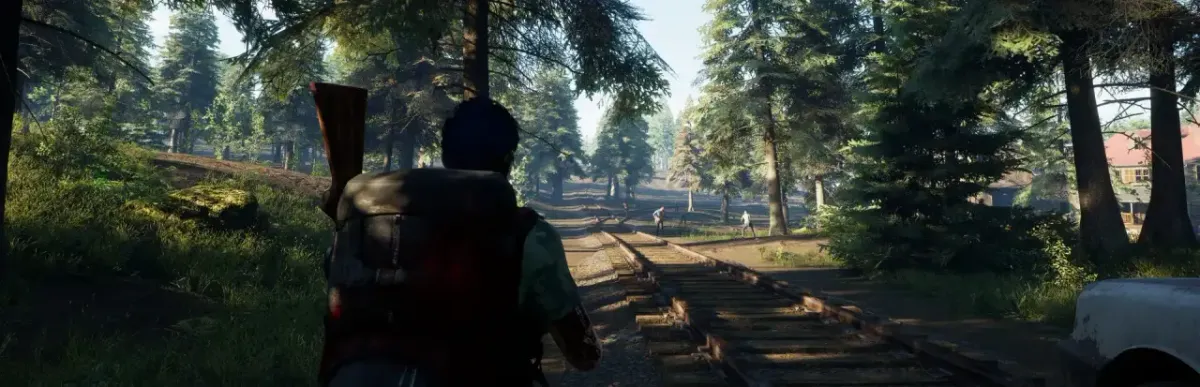
No One Survived (early access, Cat Play Studio) has a dedicated server downloadable via SteamCMD (app 2329680) for Windows. Official documentation of its settings is almost absent: this guide gives only what is confirmed (install, launch, ports) and points to Game.ini for the rest. Do not confuse it with “ZOMBIE RAID: No One Survives”.
Step-by-step installation
Check the machine: 4 GB RAM min., 10 GB disk, 3 GHz CPU (up to 4 players).
Install the Microsoft Visual C++ Redistributable x64 (vc_redist.x64.exe).
Download SteamCMD and create the server folder.
Install the server with SteamCMD: force_install_dir C:\no-one-survived-server, login anonymous, app_update 2329680 validate.
Run NoOneSurvivedServerStart.exe: a CMD window opens and “ServerCreate” signals a successful start.
Start the server once, stop it, then edit WRSH\Saved\Config\WindowsServer\Game.ini (GameSettings, ServerSetting).
Open ports 7777 et 27015 (TCP/UDP) in the firewall and on your router.
Test on localhost (127.0.0.1), then from outside using another network.
Configure auto-start (scheduled task or systemd service).
Schedule backups of WRSH\Saved and updates.
Requirements
Minimum quoted by IONOS (up to 4 players): 3 GHz CPU, 4 GB RAM, 10 GB disk; Windows Server 2022 suggested (1.4 GHz 64-bit, 2 GB RAM with GUI, 36 GB disk). Visual C++ Redistributable x64 required. Anonymous SteamCMD login. No Linux version is documented.
Local install (Windows)
Install with SteamCMD, run NoOneSurvivedServerStart.exe, then connect from the game using 127.0.0.1.
C:\steamcmd\steamcmd.exe +force_install_dir C:\no-one-survived-server +login anonymous +app_update 2329680 validate +quit
cd /d C:\no-one-survived-server
NoOneSurvivedServerStart.exe
Install on a Linux VPS / dedicated server
Only Windows Server is documented (Windows Server 2022 without GUI is possible). For a Linux VPS no official method exists; Wine is a community lead not verified here. Use the same commands as the local install.
Ports to open
- 7777/TCP+UDP: game port
- 27015/TCP+UDP: query port
Windows firewall (netsh)
In an elevated PowerShell (or administrator “cmd”):
netsh advfirewall firewall add rule name="No One Survived 7777/TCP" dir=in action=allow protocol=TCP localport=7777
netsh advfirewall firewall add rule name="No One Survived 7777/UDP" dir=in action=allow protocol=UDP localport=7777
netsh advfirewall firewall add rule name="No One Survived 27015/TCP" dir=in action=allow protocol=TCP localport=27015
netsh advfirewall firewall add rule name="No One Survived 27015/UDP" dir=in action=allow protocol=UDP localport=27015
Provider firewall and port forwarding (NAT)
If the server is at a provider (OVH, Hetzner, Scaleway…), open the same ports in its network firewall (“security group”). For home hosting, forward the ports (NAT) from your router to the machine's fixed local IP. Test from outside (mobile data or a friend): a test from your own network proves nothing.
Auto-start on Windows (scheduled task)
Create a scheduled task triggered “At startup” that runs the launch script, with highest privileges and “Run whether user is logged on or not”.
Updates, backups and restarts
Stop the server, re-run app_update 2329680 validate, then restart. Back up WRSH\Saved before any major update. Game.ini key names are not officially documented: back the file up before any change. Known sections are GameSettings (gameplay, PvP, days) and ServerSetting (name, password, max players).
# backup
tar czf ~/backup-$(date +%F).tar.gz -C ~/server WRSH\Saved
List and find your server
Once your server is public, add it on https://game-rank.com/jeux/no-one-survived (the owner's site) so players can find it, follow it and vote for it.
Troubleshooting
- Unreachable from outside but fine on localhost: the OS firewall, the provider firewall or the NAT forward is missing, or the protocol (UDP/TCP) is wrong. Check each layer one by one.
- Connection refused after a game update: client and server must run the same version. Re-run the server update, then restart it.
- The server exits immediately: start it from a console to read the error, and check free RAM, disk space and software prerequisites.
- DLL error at startup: install or repair Visual C++ Redistributable x64.
- SteamCMD reports a subscription error: use the anonymous login and app 2329680 (server), not the game's ID.
Frequently asked questions
- What is the server's Steam app ID?
- 2329680 (dedicated server, anonymous login works).
- How do I update the server?
- Stop the server, then re-run app_update 2329680 validate; client and server must run the same version.
- Is there a Linux server?
- None is documented: all guides consulted assume Windows (Server 2022).
- Which settings can be configured?
- Game.ini holds GameSettings (zombie attacks and start day, days per year, PvP) and ServerSetting (name, password, max players), but key names are not officially listed: hence no generator here.