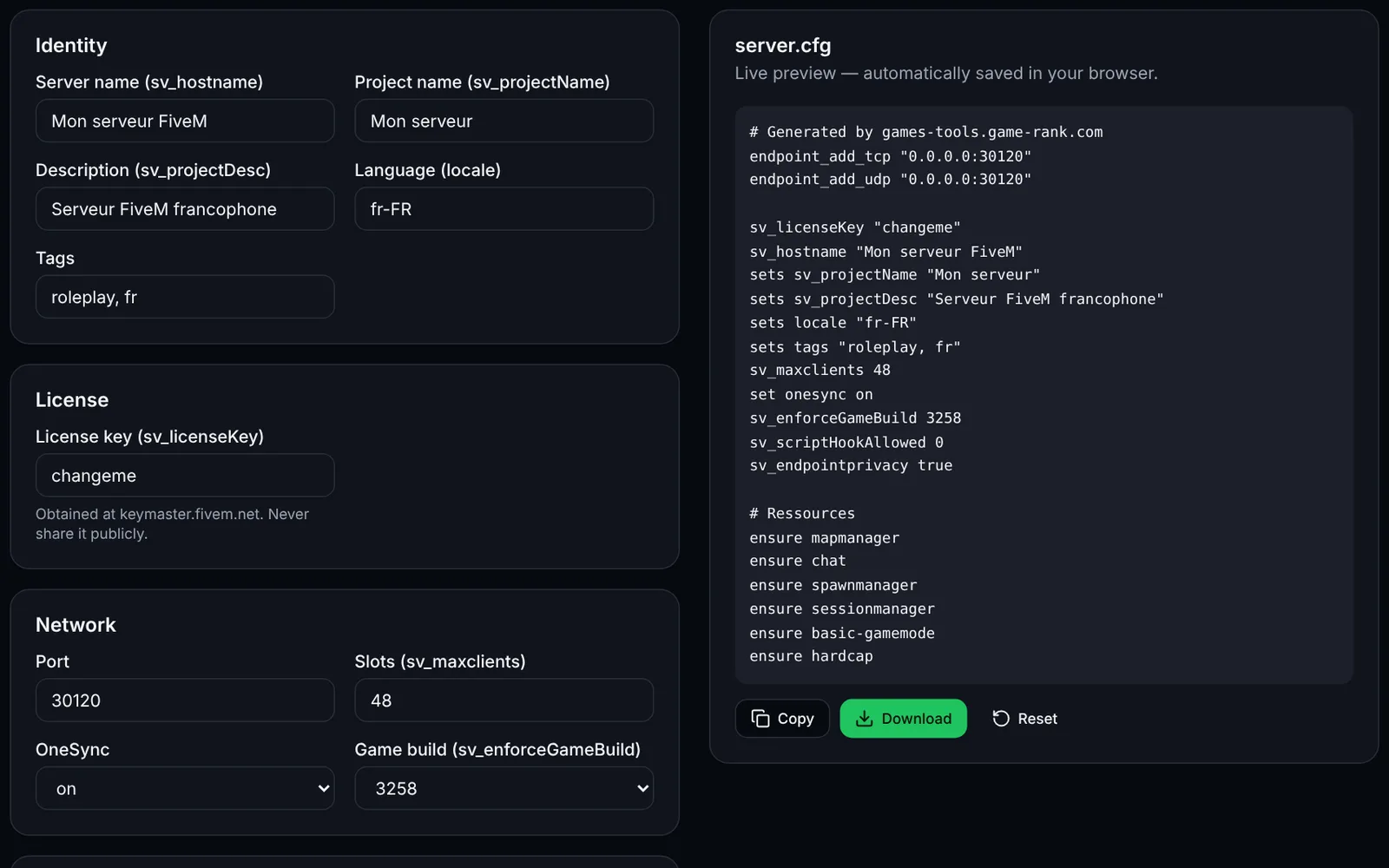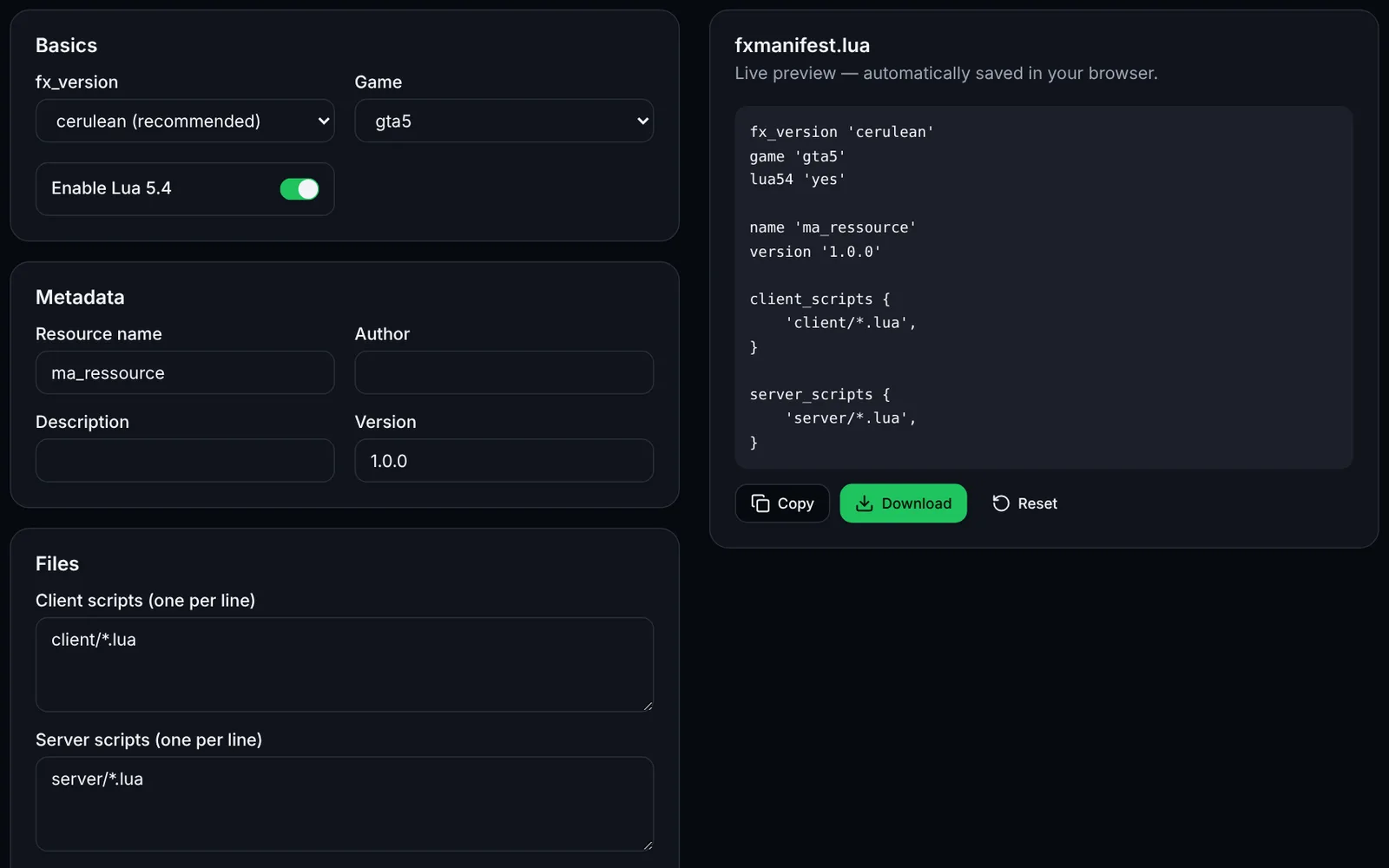
FiveM(FXServer)可在 Windows 或 Linux 上托管修改版 GTA V 服务器。本指南涵盖本地安装、Linux VPS/独立服务器安装、txAdmin、端口(30120 TCP/UDP,txAdmin 为 40120)、防火墙、systemd、更新与故障排查,约需 30 至 60 分钟。
分步安装
注册 Cfx.re 账号,并在 portal.cfx.re 获取服务器许可证密钥。
安装 Git(Linux 还需 xz-utils),然后从 Server Download 页面下载 “recommended” 版 FXServer。
将构建解压到 “server” 文件夹,并把 cfx-server-data 克隆到单独的 “server-data” 文件夹。
选择方式:txAdmin(网页界面,推荐)或使用 server.cfg 手动启动。
在 server.cfg 中设置 sv_licenseKey(或在 txAdmin 向导中填写密钥),并使用 +exec server.cfg 启动 FXServer。
本地测试:在 FiveM 中按 F8 控制台执行 “connect 127.0.0.1:30120”。
在系统防火墙和服务商防火墙中放行 30120 的 TCP 和 UDP(远程使用 txAdmin 时还需放行 40120 TCP)。
在家用路由器上,将 30120 TCP/UDP 端口转发(NAT)到服务器主机。
在 Linux 上创建 systemd 服务(或使用 tmux/screen),让服务器自动启动和重启。
安排备份、构建更新和重启计划;将 server-data 与二进制文件分开存放。
在 game-rank.com 添加你的服务器,让玩家发现它。
系统要求
根据官方文档:Windows 需要 Git(推荐)和 7-Zip 之类的压缩工具;Linux 需要 Git(推荐)以及 xz 或 xz-utils 软件包。Linux 服务器被描述为“courtesy port”,Windows 仍是支持最完善的平台。官方未规定硬件要求:取决于所装资源和玩家数量,稳妥起见请准备数 GB 内存和 SSD。玩家自己的电脑上也需要 GTA V。
- 服务器许可证密钥:portal.cfx.re(需要 Cfx.re 账号)。
- 对于 “FiveM for GTAV Enhanced”,文档要求在 Windows 上另装 Microsoft Visual C++ 2017 Redistributable。
- RedM(RDR2)请在 server.cfg 中添加 “set gamename rdr3”。
Windows 本地安装
从 docs.fivem.net 的 Server Download 页面下载 “recommended”(Windows)构建,解压到 C:\FXServer\server,克隆服务器数据,创建含 sv_licenseKey 的 server.cfg(参见 server.cfg 生成器工具),然后在 server-data 文件夹中启动。在 FiveM 中按 F8 打开控制台,输入 connect 127.0.0.1:30120。
mkdir C:\FXServer\server
cd /d C:\FXServer
:: extract the downloaded archive into C:\FXServer\server (7-Zip), then:
git clone https://github.com/citizenfx/cfx-server-data.git server-data
cd /d C:\FXServer\server-data
C:\FXServer\server\FXServer.exe +exec server.cfg
Linux VPS / 独立服务器安装
在 Ubuntu/Debian 上创建非 root 用户 “fivem”,安装 git 和 xz-utils,从 Server Download 页面复制 Linux “recommended” 构建(fx.tar.xz)的 URL,替换下面的 BUILD_URL。首次启动前把 server.cfg 放入 ~/FXServer/server-data。
sudo adduser --disabled-password --gecos "" fivem
sudo apt update && sudo apt install -y git xz-utils wget tmux ufw
sudo -iu fivem

mkdir -p ~/FXServer/server && cd ~/FXServer/server
wget BUILD_URL -O fx.tar.xz   # Linux 'recommended' URL from docs.fivem.net/docs/server-download
tar xf fx.tar.xz && rm fx.tar.xz
git clone https://github.com/citizenfx/cfx-server-data.git ~/FXServer/server-data

# create ~/FXServer/server-data/server.cfg (sv_licenseKey, endpoints...), then:
cd ~/FXServer/server-data
bash ~/FXServer/server/run.sh +exec server.cfg
使用 txAdmin 安装
txAdmin 已内置于 FXServer。不带 +exec 启动 FXServer:控制台会显示 PIN,网页界面在 40120 端口打开(TXHOST_TXA_PORT 的默认值,不能设为 30120)。输入 PIN,关联 Cfx.re 账号,设置管理员密码,为服务器命名,选择热门配方 “CFX Default FiveM”,在 Recipe Deployer 中填写许可证密钥,然后点击 “Save & Run Server”。在 VPS 上请仅对自己的 IP 开放 TCP 40120,或使用 SSH 隧道:txAdmin 默认监听所有接口(0.0.0.0)。该向导官方文档仅针对 Windows;据 txAdmin 说明 Linux 步骤相同,但 FiveM 官方文档未详述。
# Linux: start FXServer without +exec, txAdmin prints the PIN and its URL
cd ~/FXServer/server-data
bash ~/FXServer/server/run.sh

# Optional (txAdmin env variables): change the txAdmin port, restrict the interface
TXHOST_TXA_PORT=40120 TXHOST_INTERFACE=0.0.0.0 bash ~/FXServer/server/run.sh

# SSH tunnel from your PC instead of exposing 40120:
# ssh -L 40120:127.0.0.1:40120 fivem@YOUR_SERVER
需要开放的端口
游戏默认端口为 30120,在 server.cfg 中用 endpoint_add_tcp 和 endpoint_add_udp 同时声明 TCP 与 UDP(“0.0.0.0:30120”)。要更改,请修改这两行中的端口(文档说明除非服务器有多个网络接口,否则只改端口),并开放相同端口。txAdmin 默认使用 40120(TCP,TXHOST_TXA_PORT);使用 txAdmin 时可用 TXHOST_FXS_PORT 强制指定 FXServer 端口(不能是 40120)。在 OVH、Hetzner、Scaleway 等服务商处,还需在产品防火墙 / “security group” 中放行这些端口。
- 30120/TCP — 游戏服务器连接与 HTTP
- 30120/UDP — 游戏流量
- 40120/TCP — txAdmin 网页界面(仅限你的 IP)
- 在家:将 30120 TCP+UDP 转发(NAT)到电脑的内网 IP;用手机网络从外部通过 connect 公网IP:30120 测试。
防火墙:ufw、Windows 与服务商
Linux(ufw):启用防火墙前先放行 SSH,避免把自己锁在外面。Windows:在管理员控制台运行 netsh 命令。请把 203.0.113.10(示例地址)替换为你自己的 IP 以限制 txAdmin。
# Linux (ufw)
sudo ufw allow OpenSSH
sudo ufw allow 30120/tcp
sudo ufw allow 30120/udp
sudo ufw allow from 203.0.113.10 to any port 40120 proto tcp   # txAdmin, your IP only
sudo ufw enable
sudo ufw status

:: Windows (administrator console)
netsh advfirewall firewall add rule name="FXServer 30120 TCP" dir=in action=allow protocol=TCP localport=30120
netsh advfirewall firewall add rule name="FXServer 30120 UDP" dir=in action=allow protocol=UDP localport=30120
netsh advfirewall firewall add rule name="txAdmin 40120" dir=in action=allow protocol=TCP localport=40120 remoteip=203.0.113.10
自动启动与监控
Linux 的 systemd 单元(文件 /etc/systemd/system/fivem.service)。官方文档未描述此配置,请务必测试:FXServer 需要控制台,如果服务立即退出,请改在 tmux 中运行(tmux new -s fivem)或使用 txAdmin。不用 txAdmin 时保留 +exec server.cfg,使用 txAdmin 时去掉。Windows 上请创建 start.bat(cd /d 到 server-data 文件夹再运行 FXServer.exe),并添加开机计划任务。
[Unit]
Description=FiveM server (FXServer)
After=network-online.target
Wants=network-online.target

[Service]
User=fivem
WorkingDirectory=/home/fivem/FXServer/server-data
ExecStart=/bin/bash /home/fivem/FXServer/server/run.sh +exec server.cfg
Restart=on-failure
RestartSec=10

[Install]
WantedBy=multi-user.target

# sudo systemctl daemon-reload && sudo systemctl enable --now fivem
# sudo journalctl -u fivem -f
更新、备份与重启
更新:停止服务器,用推荐构建替换 “server” 文件夹的内容(“FXServer 构建更新器”工具可生成脚本);server-data 不受影响。备份:归档 server-data(server.cfg、资源),使用 txAdmin 时还要备份其数据文件夹(txData,在 Windows 上位于二进制文件夹旁)。定时重启:txAdmin 在设置中提供定时重启;不用 txAdmin 时使用 cron。请按实际情况调整路径。
# Backup (adapt paths) - run as the fivem user
tar czf ~/backup-$(date +%F).tar.gz -C ~/FXServer server-data

# crontab -e : nightly backup at 04:00 and restart at 04:30 (non-txAdmin setup)
# 0 4 * * * tar czf $HOME/backup-$(date +\%F).tar.gz -C $HOME/FXServer server-data
# 30 4 * * * sudo systemctl restart fivem   # needs a sudoers rule, or use root's crontab

# Update the build: stop, replace, start
sudo systemctl stop fivem
cd ~/FXServer/server && wget NEW_BUILD_URL -O fx.tar.xz && tar xf fx.tar.xz && rm fx.tar.xz
sudo systemctl start fivem
登记并推广你的服务器
在 server.cfg 中设置清晰的 sv_hostname 和标签,然后到 game-rank.com/jeux/gta(FiveM / GTA V 页面)添加你的服务器,方便玩家评分和发现。启用 sv_lan 的服务器不会出现在公开列表中。
故障排查
- “No license key” / 服务器无法启动:缺少 sv_licenseKey、仍为 “changeme” 或未被加载。请在 portal.cfx.re 检查密钥,并在 server-data 中使用 +exec server.cfg 启动。
- 没有资源启动、“connection refused” 或超时:启动文件夹错误或缺少 +exec(官方文档已说明)。请在 server-data 中用 +exec server.cfg 启动。
- 无法从外部连接:30120 端口未同时放行 TCP 和 UDP(系统防火墙、服务商、路由器)。请检查这三层,并确认服务器正在监听(ss -tulpn | grep 30120)。
- 服务器不在列表中:启用了 sv_lan、缺少 endpoint 或端口被封锁。上线后请等待几分钟,并先用直连测试。
- 无法访问 txAdmin:40120 端口被封锁或服务已停止。请使用 SSH 隧道,确认 FXServer 在运行且 TXHOST_TXA_PORT 未被改动(不能为 30120)。
常见问题
- FiveM 服务器需要开放哪些端口?
- 30120 端口的 TCP 和 UDP(server.cfg 中 endpoint 的默认值)。若通过 txAdmin 远程管理,还需开放 40120 TCP,最好仅限你的 IP。
- 必须使用 txAdmin 吗?
- 不是必须。使用 server.cfg 和 +exec 手动启动同样可行。txAdmin 内置于 FXServer,提供网页界面(控制台、玩家、定时重启、安装配方)。
- 一台服务器可容纳多少玩家?
- sv_maxclients 可设为 1 至 2048。32 个及以上插槽需要 OneSync 为 “on” 或 “legacy”,超过 64 需为 “on”。实际容量取决于硬件和所装资源。
- 托管 FiveM 选 Windows 还是 Linux?
- 两者都可行。官方文档把 Linux 版称为 “courtesy port”,Windows 的文档最完善。Linux 凭借 systemd 和较低成本很适合 VPS。